Loyang View Secondary

Device Management Application (DMA)

Find out how the Device Management Application (DMA) works and explore the profile options available for managing your devices.

Last updated 12 May 2026
Nine children in colorful shirts stand in a line outdoors, all raising their arms joyfully against a gray sky.

Device Management Application (DMA)

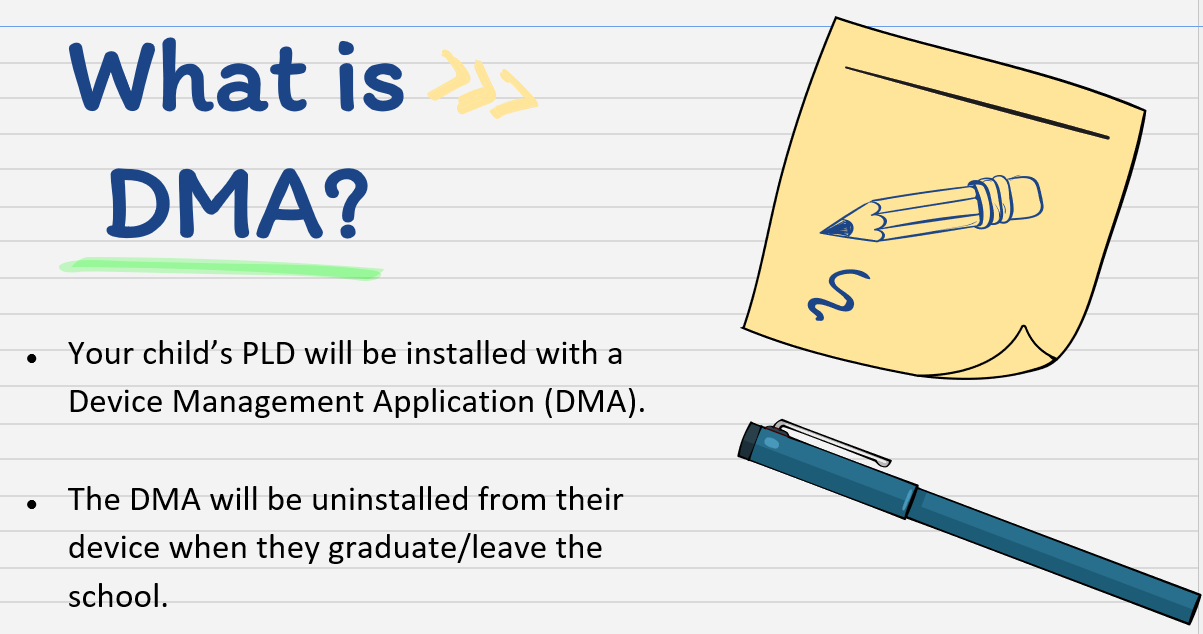
Lined paper with bold text "What is DMA?" and bullet points explaining a Device Management Application for school devices.

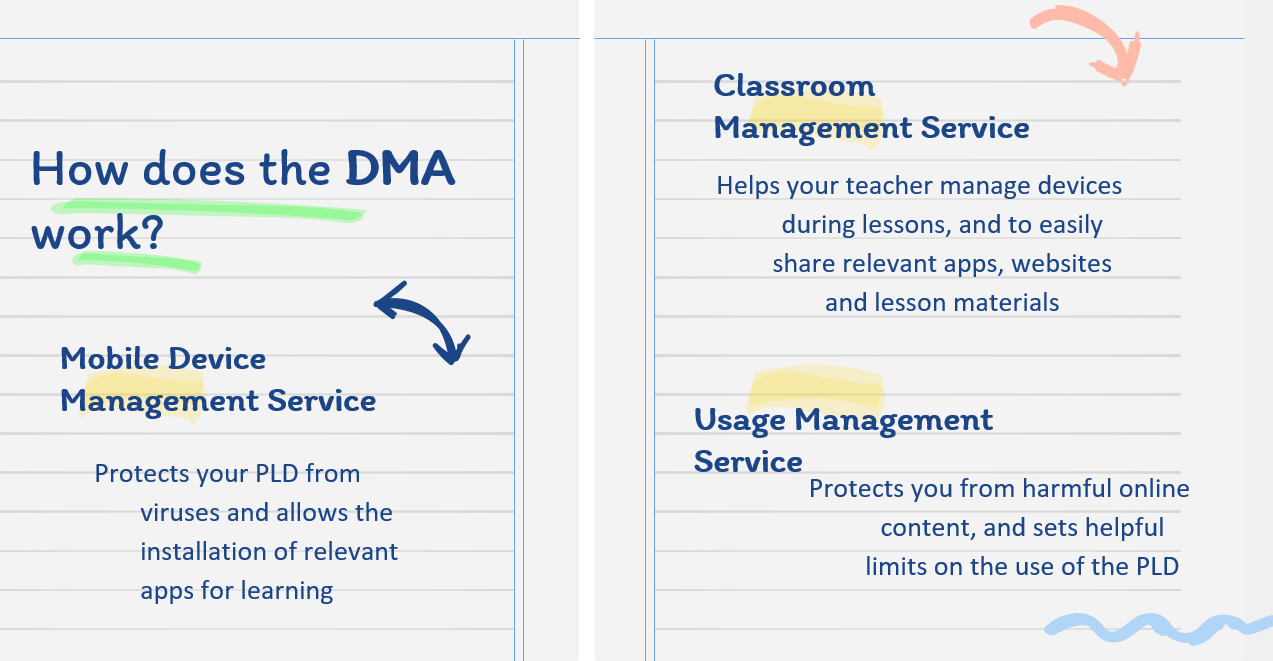
How DMA Works

Lined notepad explaining how DMA works via Mobile Device, Classroom, and Usage Management Services.

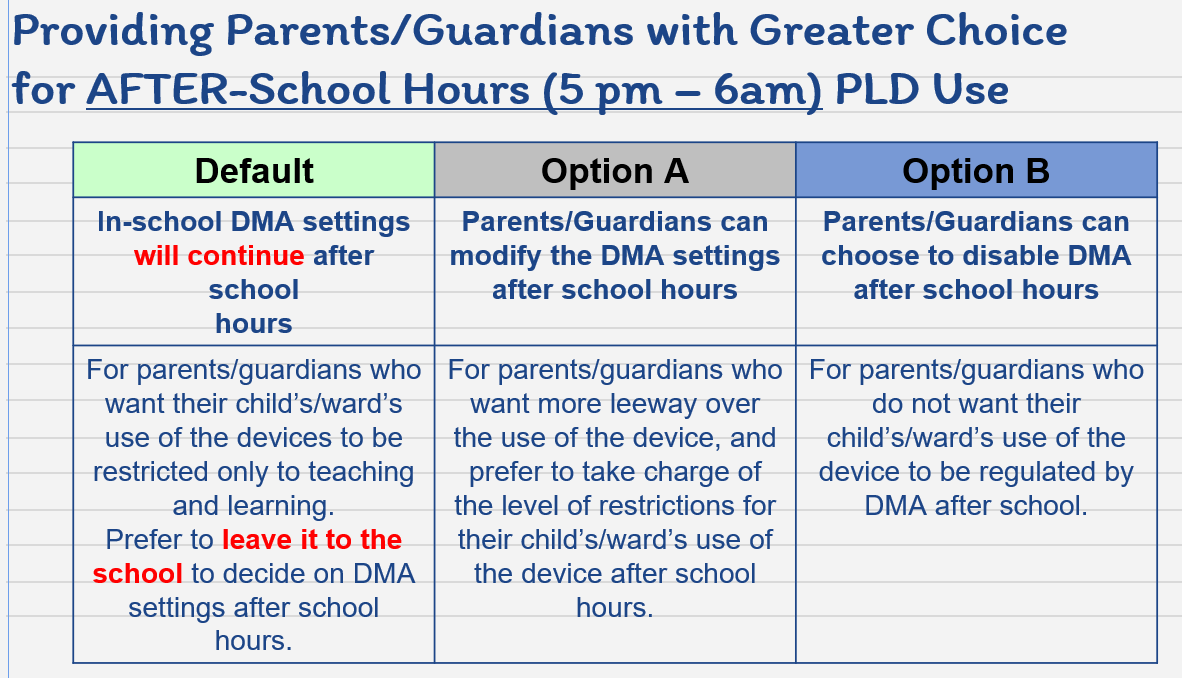
DMA Options (Profiles)


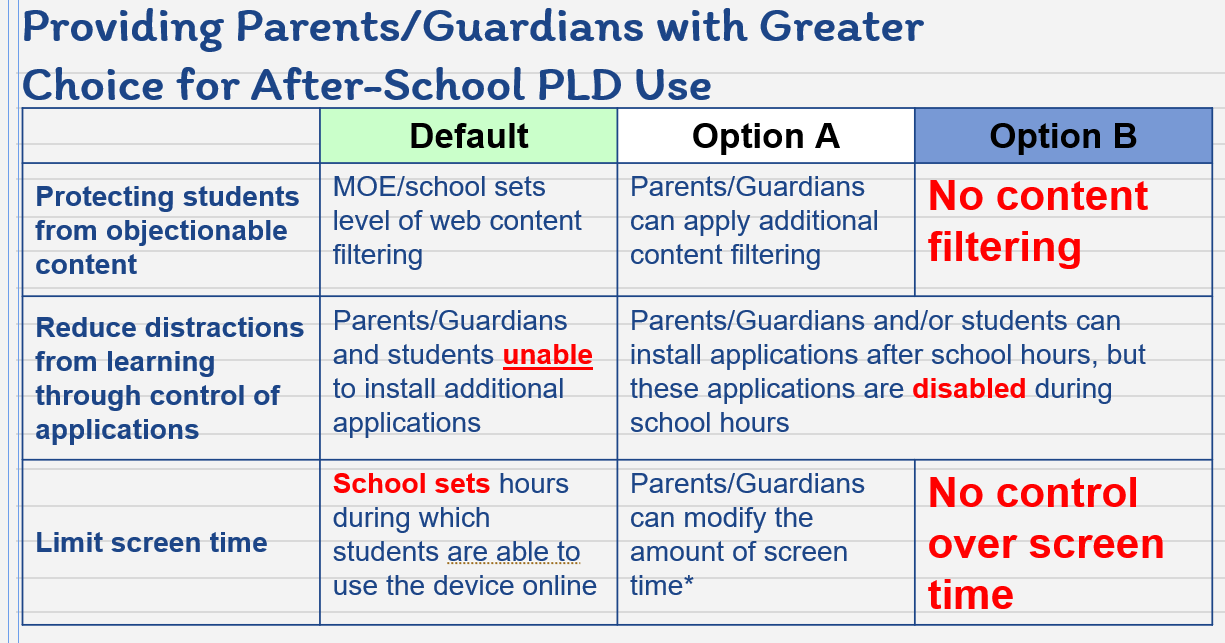
Table showing three after-school PLD DMA options: Default, Option A to modify, and Option B to disable settings.
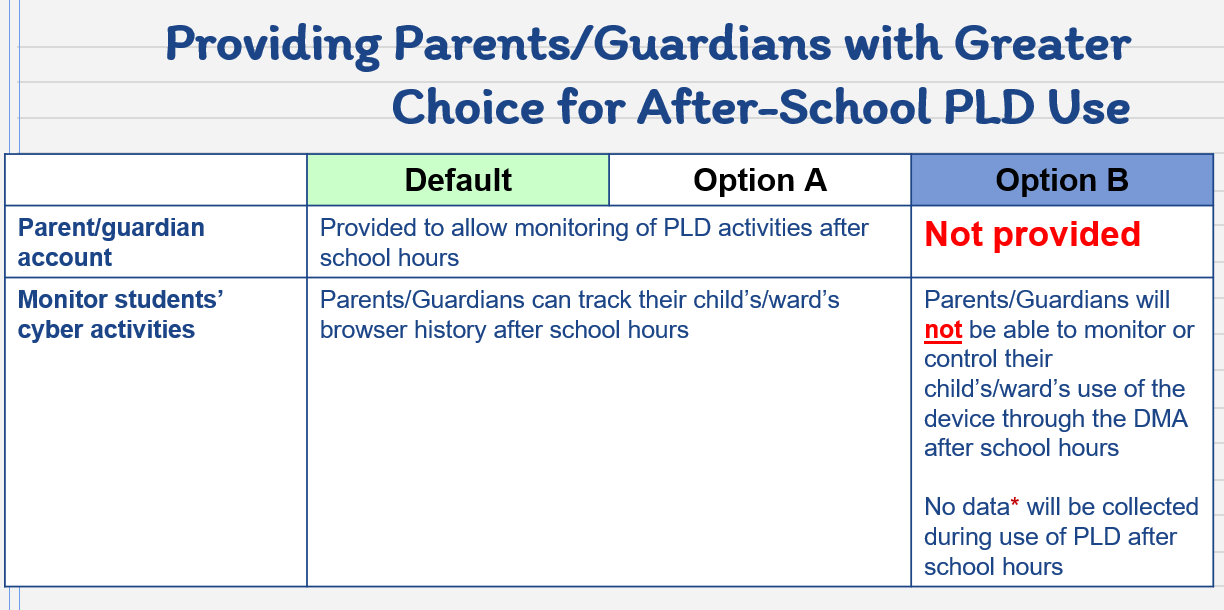
Table comparing Default, Option A, and Option B for after-school PLD use by parents and guardians.
Table comparing Default, Option A, and Option B for after-school PLD use covering content filtering, apps, and screen time.